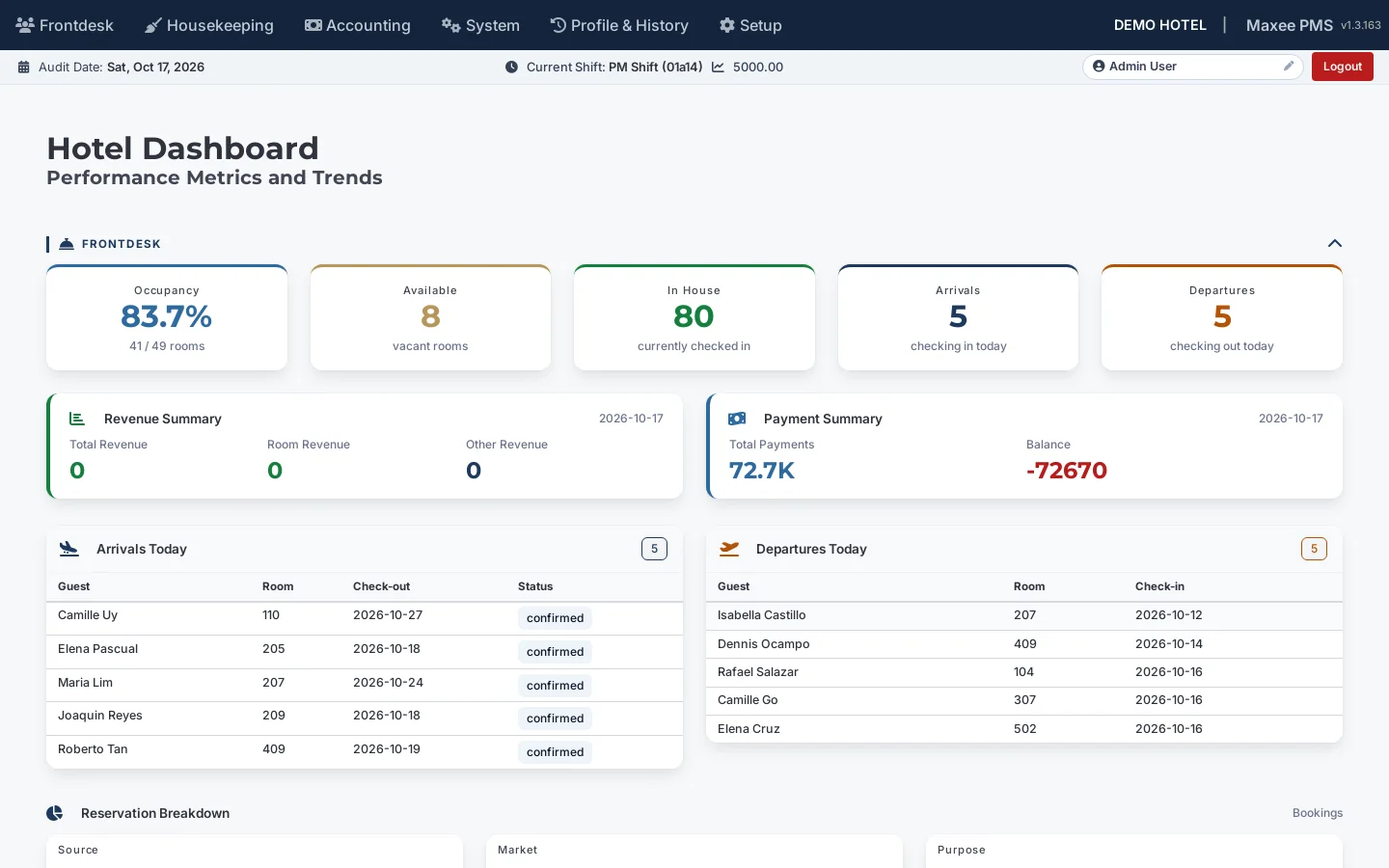
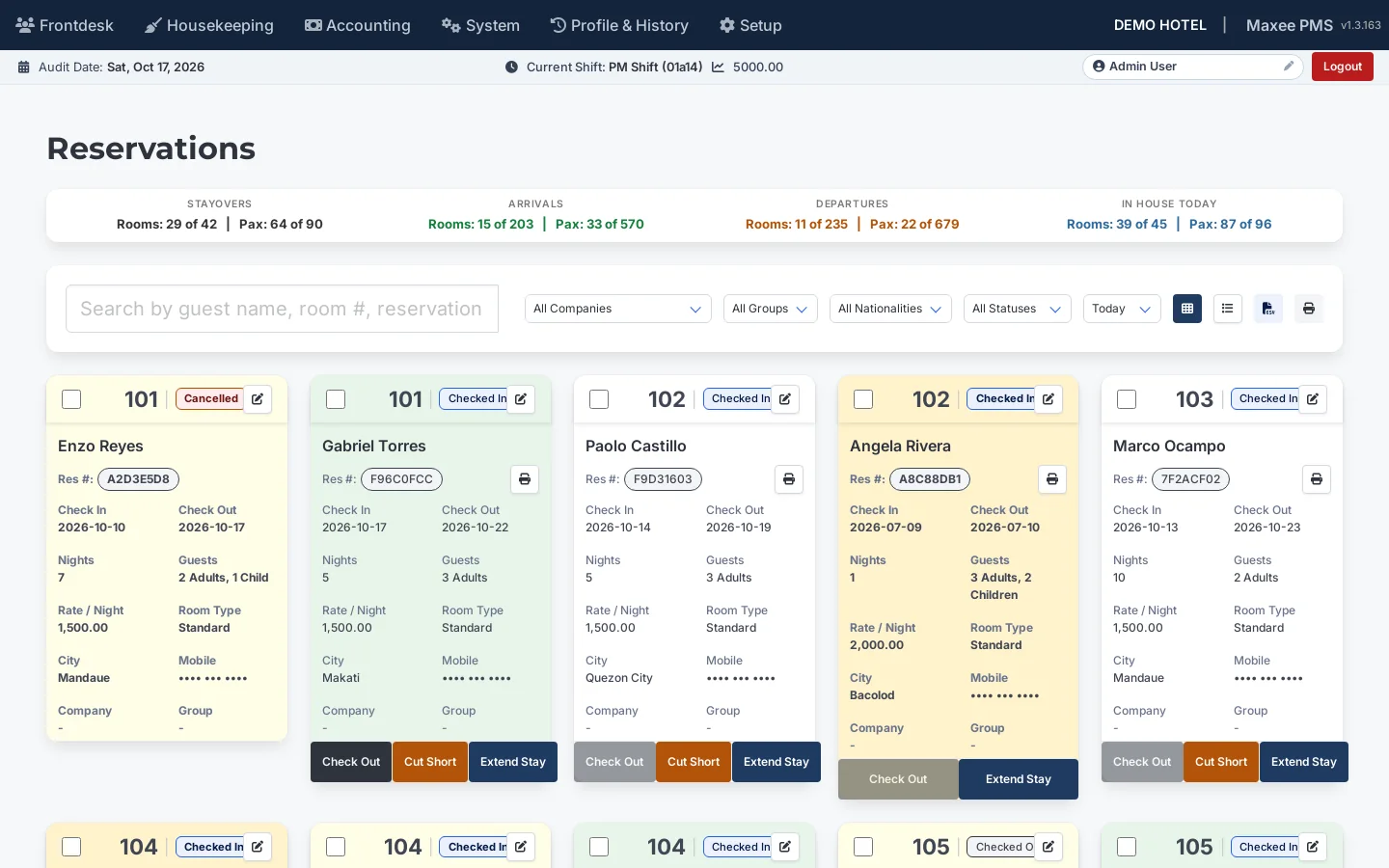
Check-in marks the room occupied and opens the guest folio automatically
Checkout is blocked until the folio balance is settled
Extend stay, cut short, late checkout and printable registration slips
Reservations
Availability
See every room, every night
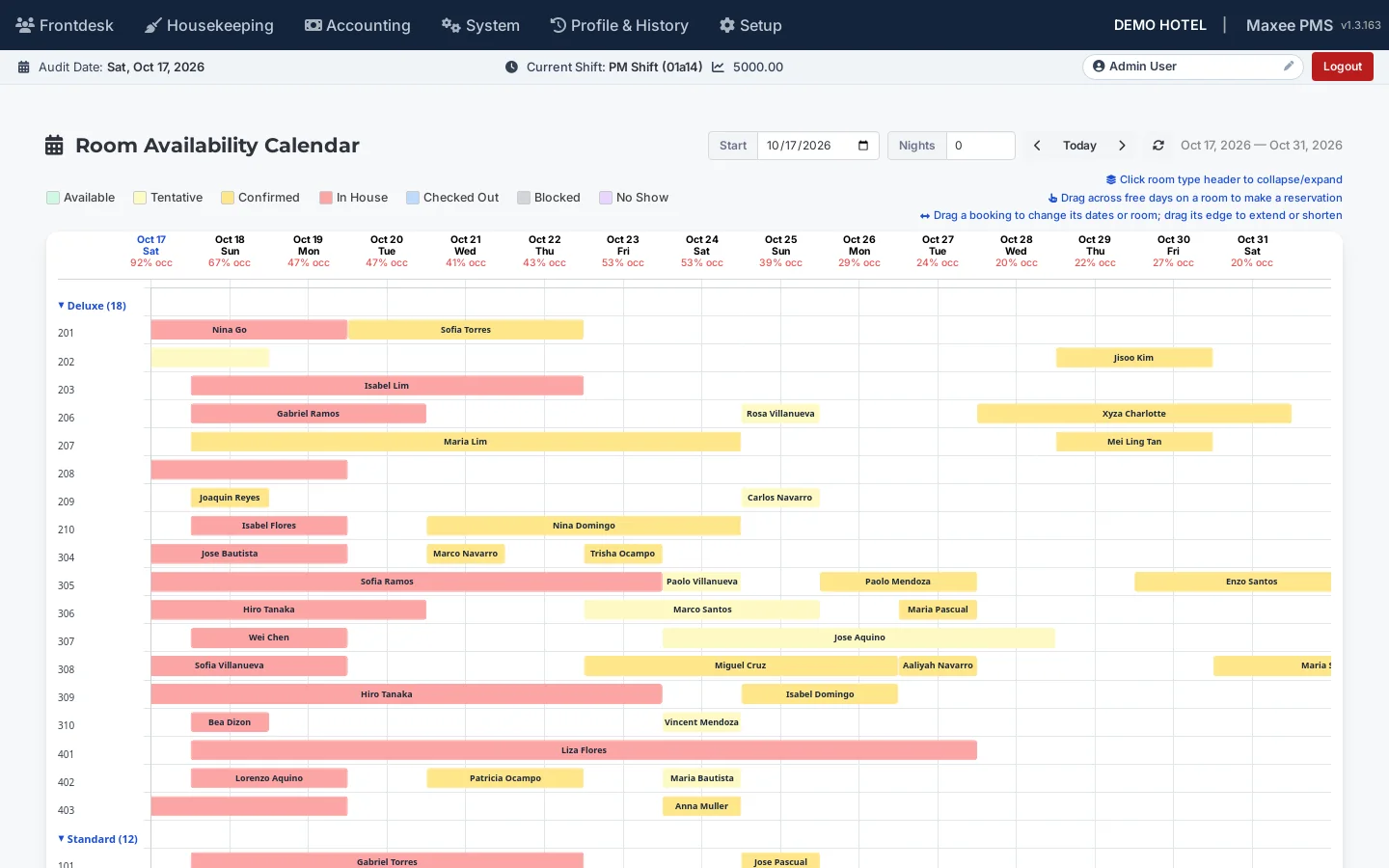
Two calendars answer the question front desk asks most: what can I sell, and when?
Room calendar with one bar per booking, grouped by room type
Room-type view showing available against total rooms per day
Occupancy percentage for every date at a glance
Channel allocations to commit rooms to agencies, tour operators and booking platforms
Room availability calendar
Housekeeping & maintenance
Rooms ready when guests arrive
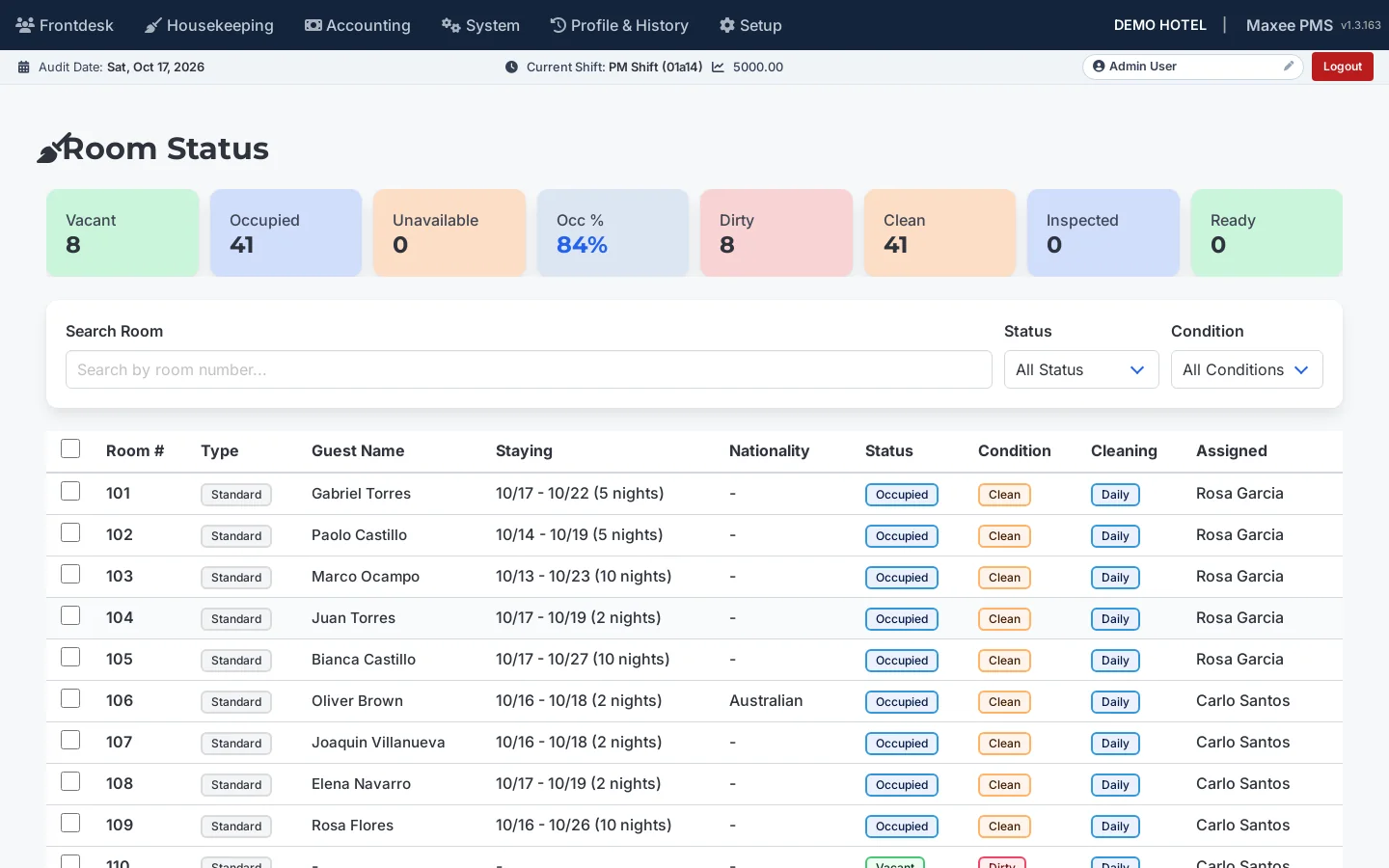
Checkout flags the room dirty. Housekeeping moves it through to ready, and the desk sees it instantly.
Room status board: dirty, clean, inspected and ready
Update many rooms at once and assign cleaning staff
Block rooms for maintenance, VIP holds or out-of-order periods
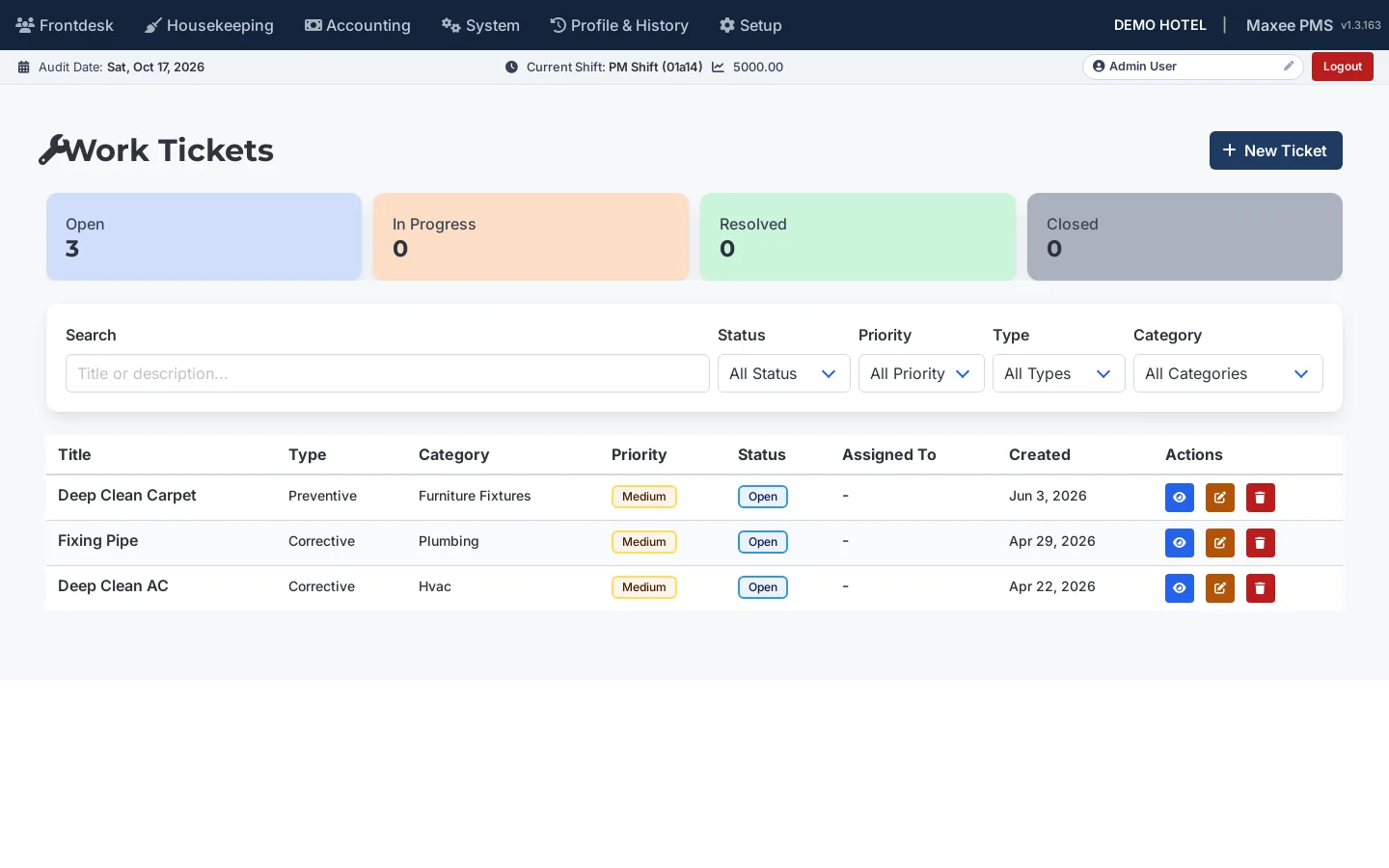
Work tickets with priority, category and assignee, from open to closed
Room status
Work tickets
Billing & night audit
Books that balance, every day
Every charge and payment lands on a folio, against a shift and an audit day, so closing the day is routine.
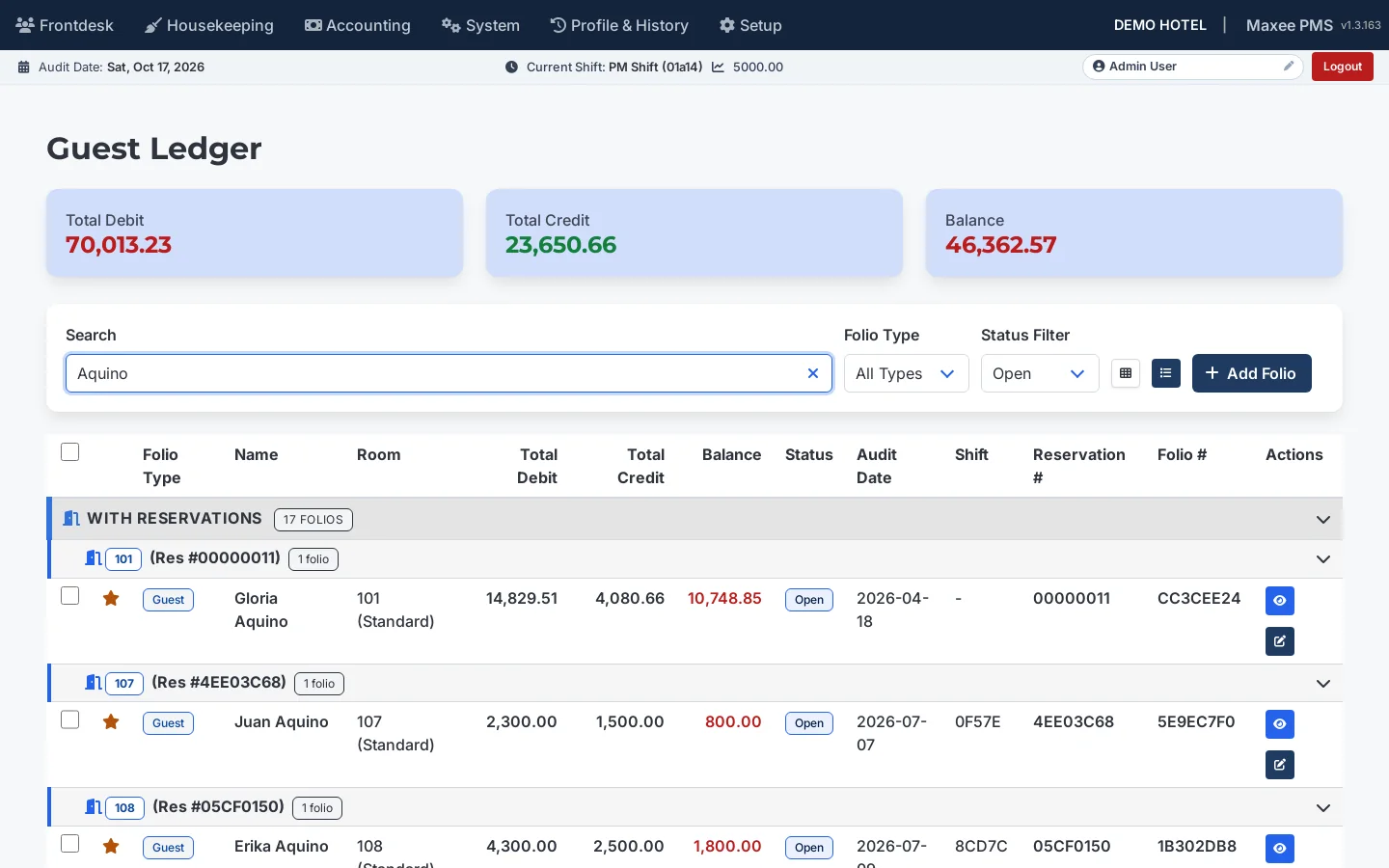
Guest, corporate, group and miscellaneous folios with full transaction history
Shifts per cashier and a day-by-day night audit process
City ledger with aging summaries for company accounts
Daily revenue, cashier and ledger reports, exportable as PDF and CSV
Guest ledger
Revenue
Price with evidence, not guesses
Track ADR and RevPAR and set best-available-rate pricing from your own performance.
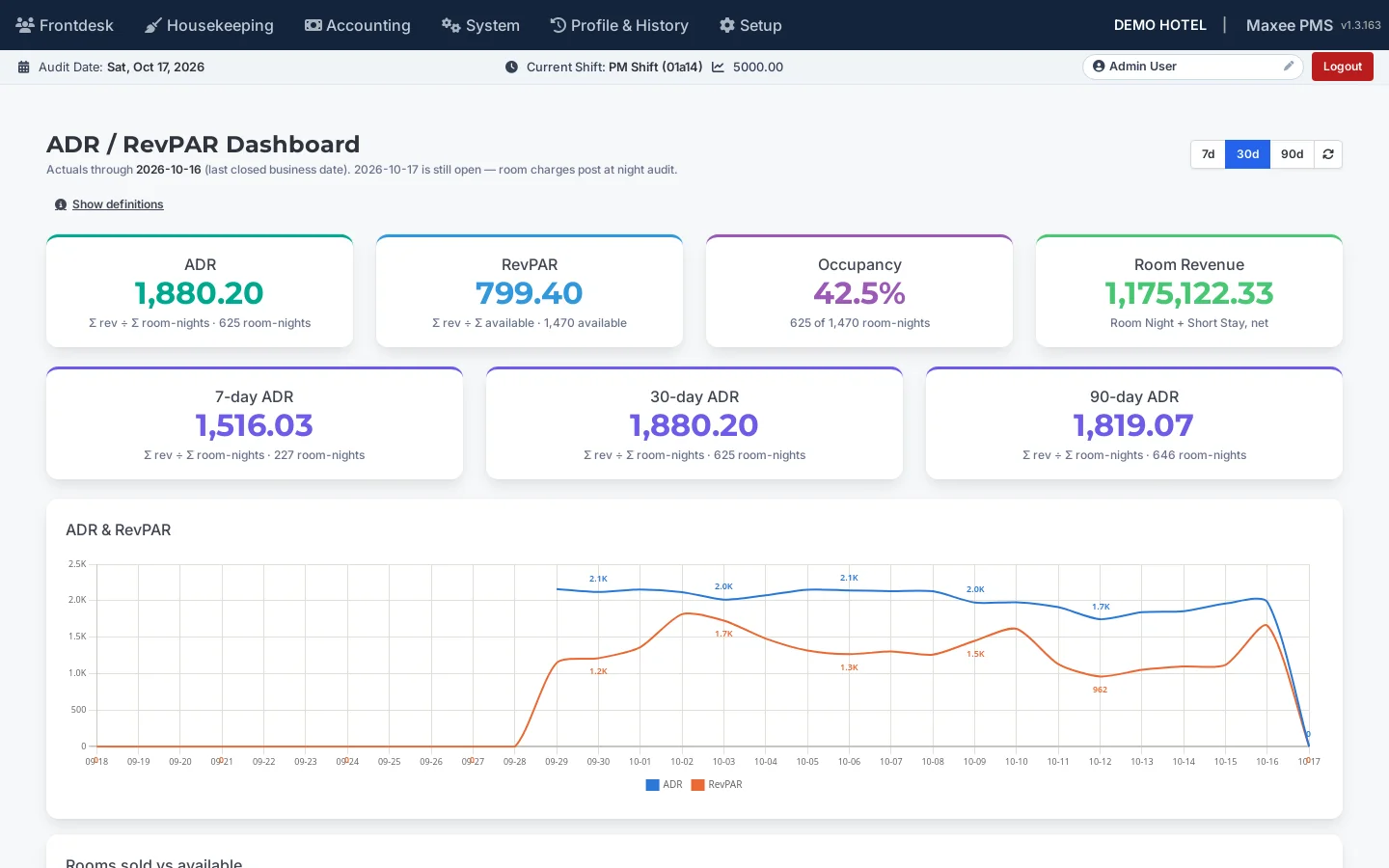
ADR and RevPAR analysis
BAR pricing by room type with dated overrides
Switch BAR pricing on or off in hotel settings
Revenue dashboard for supervisors and managers
Revenue
Features
The details that make a PMS dependable
Beyond the headline screens, the everyday tools are all here.
Reservations
Booking to checkout, with optional room assignment and automatic early check-in, late check-out and extra-pax charges.
Rate codes
Room-type pricing; nightly, weekly and monthly rates; seasonal, promo, corporate and OTA rates; occupancy surcharges.
Guest & company profiles
Stay history for guests and companies, group and company bookings with contracted rates.
Room allocations
Track rooms committed to OTAs and booking platforms. Synchronization is manual today.
Folios & ledgers
Guest, corporate and miscellaneous folios, guest and city ledger, and a register of every posted transaction.
Days & shifts
Audit dates and a shift per user, with end-of-day processing, shift reconciliation and cashier accountability.
Reports & CSV export
Reports grouped by department, with filters, page preview and CSV export for Excel.
Transaction codes
Parent and child transaction codes for detailed revenue and expense reporting.
Tax & service charge
VAT, service charge and other taxes applied automatically to every bill.
Work tickets
Repair and maintenance tickets linked to room blocking, so affected rooms stay out of sale until fixed.
Roles & groups
Staff, supervisor and admin roles, plus front desk, housekeeping, accounting, cashier and night auditor groups.
Any device
Use PC, Mac, Linux, tablets or iPad. All you need is a browser and an internet connection.
Security & reliability
Guest and financial data, handled with care
A PMS holds guest identities and the hotel's books. These are the protections built into Maxee PMS.
Two-factor sign-in
Administrators can be required to confirm with an authenticator app. Recovery codes cover a lost phone, and repeated wrong codes lock the account for 15 minutes.
Access by role
Staff only see the screens their role and group allow. Passwords are stored hashed, and sign-in attempts are rate limited.
Activity log and device control
Administrators get an activity log, and can approve which devices may reach the system.
Verified backups
The database is backed up on a schedule. Each backup is checked before it counts, and a copy is kept off-site.
Updates without downtime
New versions go live through a blue/green release, so the system stays available while it is updated.
Works when the internet does not
A local server at the property keeps running through an outage and syncs with the cloud when the connection returns.
Getting started
Live in about one week
From project kickoff to go-live typically takes about a week, in five steps we run with you.
1
Cloud deployment
We set up your cloud environment, initialize the database and install the system.
2
Data migration
We bring over your rooms, guests, company accounts and historical records, where available.
3
System configuration
Rates, room types, taxes, user roles and your hotel branding are configured to match how you run.
4
User training
Hands-on training for front desk, housekeeping, accounting, cashier and management staff.
5
Go-live and support
A supervised launch, with dedicated support through the initial operating period.
Pricing
Clear pricing, with setup and support included
Choose the plan that fits your property. Prices are in Philippine pesos.
Standard
Small properties, up to about 30 rooms
₱3,800.00/ month
Everything you need to run the property day to day.
Reservations, room calendars and front desk
Housekeeping, room blocking and work tickets
Folios, ledgers, shifts and night audit
Rate codes, tax and service charge
Reports with CSV export
ADR and RevPAR dashboard
Roles, groups, activity log and two-factor sign-in
Feature comparison of the Standard, Professional and Enterprise plans
Feature
Standard
Professional
Enterprise
Operations
Reservations, calendars and front desk
Included
Included
Included
Housekeeping, room blocking and work tickets
Included
Included
Included
Folios, ledgers, shifts and night audit
Included
Included
Included
Reports with CSV export
Included
Included
Included
Revenue
ADR and RevPAR dashboard
Included
Included
Included
BAR pricing with dated overrides
Not included
Included
Included
Channel allocations
Not included
Included
Included
Automation
Email reports (night audit, shift, daily)
Not included
Included
Included
Reservation emails
Not included
Included
Included
Security and reliability
Roles, groups and activity log
Included
Included
Included
Two-factor sign-in
Included
Included
Included
Device authorization
Not included
Included
Included
Offline local server with cloud sync
Not included
Not included
Included
Onboarding and support
Priority technical support
Included
Included
Included
Migration of existing data
Current data
Current and historical
Current and historical
Training
Remote
Remote
Remote and on-site
Guided review
Not included
Not included
Included
One-time setup and training: ₱30,000.00
Cloud setup: server hosting, provisioning and deployment
Hotel configuration: room types, rate codes, transaction codes, taxes, service charges, branding and business rules
Data migration: existing guest records, company accounts, room inventory and historical data, where available
Training and onboarding for your administrators and staff
Every monthly plan includes
Priority technical support with a dedicated channel for critical issues
Cloud hosting and infrastructure with monitoring and backups
Maintenance and updates: improvements, hot-fixes and security patches
Room ranges are a guide. Pricing depends on your hotel’s size, number of rooms and operational requirements, and we confirm your final quotation after an initial consultation.
FAQ
Questions hotel teams ask
Who is Maxee PMS for?
Hotels and resorts that want front desk, housekeeping, billing and reporting in one system, with role-based access for each team.
Do we need a constant internet connection?
Maxee PMS runs in the browser. For properties that need to keep working through an outage, a local server at the property can run alongside the cloud and sync when the connection returns.
Can it connect to Booking.com, Agoda or other channels?
Not directly today. Channel allocations let you manage the rooms committed to partner companies by date, and you enter the resulting bookings in Maxee PMS.
What reports are included?
Reservation list, arrivals and departures, nationality, daily revenue, shift and cashier summaries, guest and city ledger, ledger aging, room status and room blocking. Most export to PDF and CSV.
Who can see what?
Access follows the user’s role and group: admin, supervisor, front desk, housekeeping, accounting, cashier or night auditor. Administrators manage users and settings.
How is our data protected?
Two-factor sign-in for administrators, hashed passwords, rate-limited sign-in, an activity log, device approval and verified database backups with an off-site copy. See the security section above.
What does it cost?
Plans start at ₱3,800.00 a month, plus a one-time setup and training fee of ₱30,000.00. Final pricing depends on your hotel’s size, number of rooms and operational requirements, and we confirm your quotation after an initial consultation.
How do I choose a plan?
Start with your number of rooms: Standard suits properties up to about 30 rooms, Professional about 31 to 80, and Enterprise about 81 and above or those needing the offline local server. Professional adds BAR pricing, channel allocations and email automation. We confirm the right plan with you after an initial consultation.
What is included in setup?
Cloud setup and deployment, hotel configuration (room types, rate codes, transaction codes, taxes, service charges and branding), migration of your existing data where available, and training for your administrators and staff.
How long does it take to go live?
About one week from project kickoff to go-live: cloud deployment, data migration, configuration, user training, then a supervised launch.
How is training delivered?
By Google Meet or on-site, whichever you prefer. For on-site sessions, the hotel provides reasonable accommodation, a round-trip ticket and a per diem of ₱2,500.00 per person.
Book a demo
See Maxee PMS run your property
Tell us about your hotel and we will walk you through the parts that matter most to your team.
A 30-minute live walkthrough tailored to your property